Form builder
Online form builder for contact, order, and application forms
Build contact, order, feedback, application, and intake forms with your own branding and no code. Add the fields you need and show follow-up fields only when an answer calls for them.



Form types
Build the right form for every kind of request
Use Validata as your online form builder for contact requests, orders, feedback, applications, client intake, and anything else people send you.
For contact and support
Give visitors one place to ask a question, report a problem, or request a call. A topic field tells you at a glance what each message is about.
Use template
For orders and quotes
Take orders and quote requests with product, quantity, date, and contact fields, and show extra fields only when the option someone picks needs them.
Use template
For applications
Collect job, program, and membership applications with file upload for CVs and portfolios, and keep every submission in one list reviewers can work through.
Use template
No-code builder
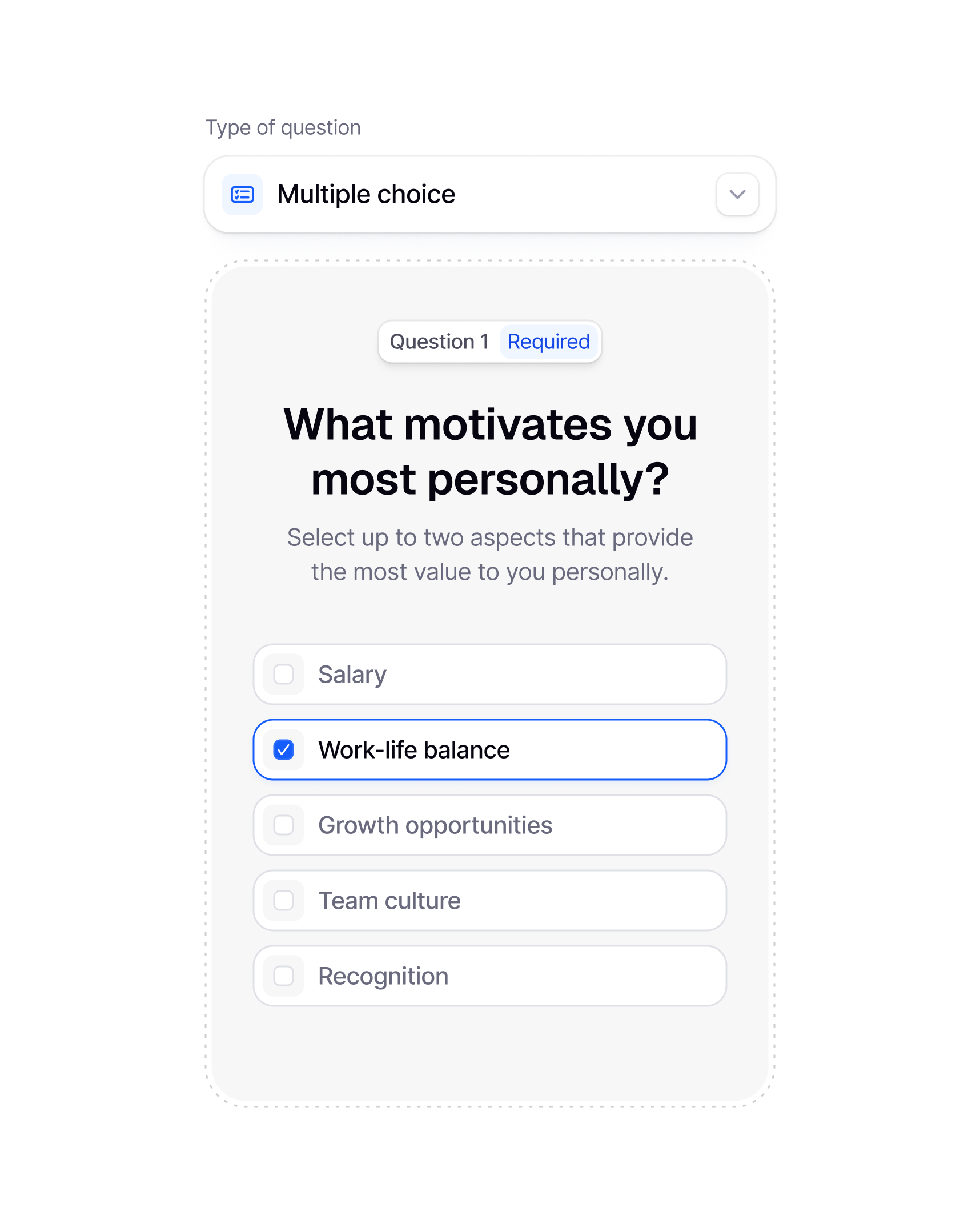
Put together a working form without touching code
Every field, label, layout choice, and brand color lives in one builder, with a preview that shows the form exactly as a visitor will see it.
Add a field, name it, and put it in order. If one answer should open another field, set the condition on that field. When the form reads cleanly, publish. Nothing to install, nobody to wait for.

Customization
Your fonts, your colors, your form
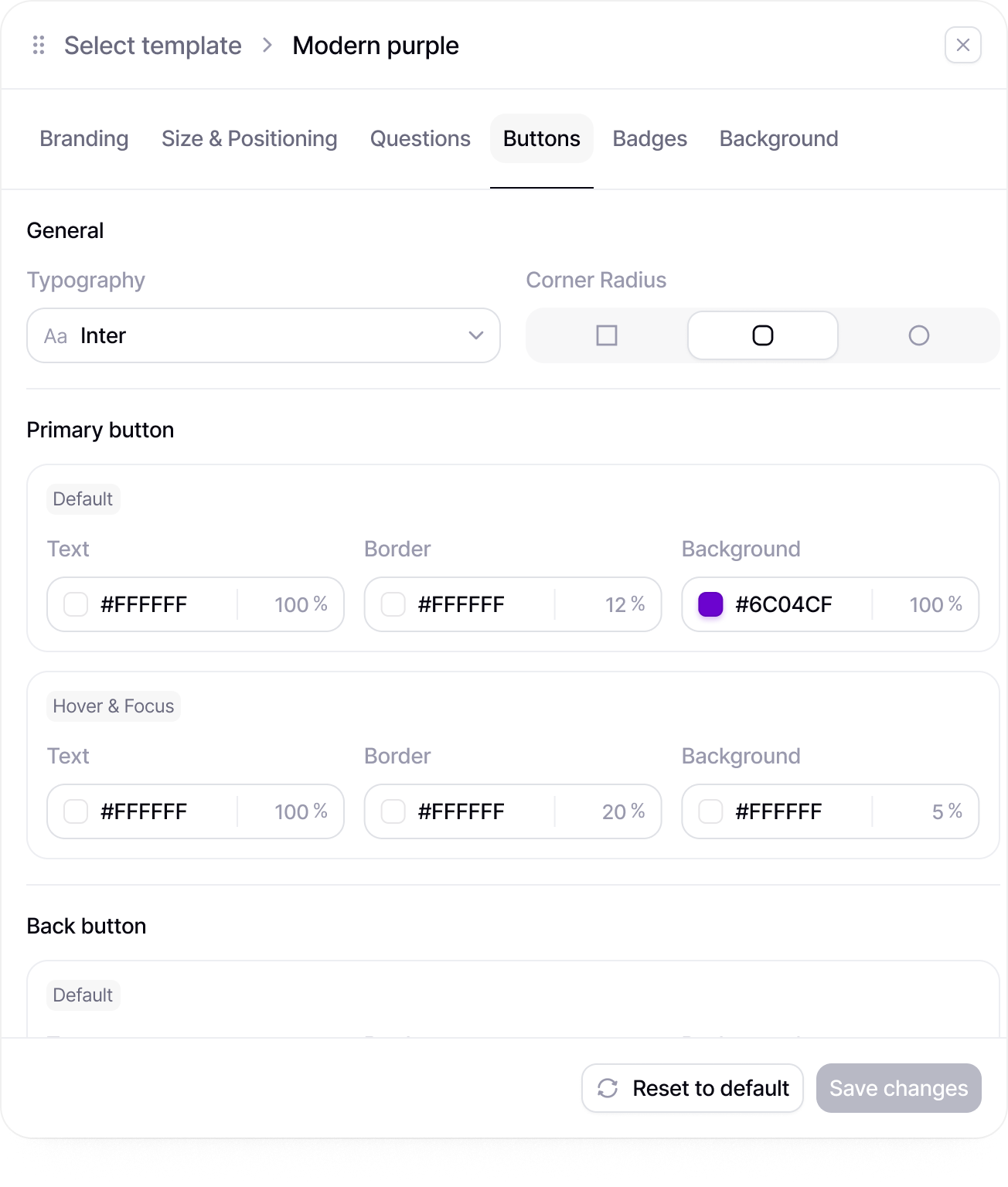
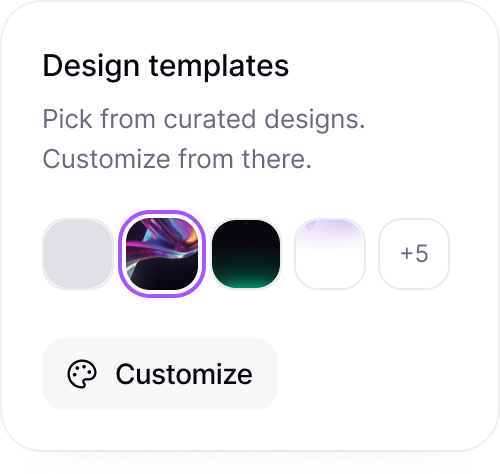
Fonts, colors, button styles, images, and welcome screens are all yours to change, so a form embedded on your site looks like part of the site.
Pick a theme for quick styling, or set every color, image, and layout by hand when a form has to match one specific page. Your logo goes at the top, the thank-you screen is written in your voice, and the whole form reads as yours.
Templates
Start from a form template, not a blank page
Open a contact, order, or application form template, rename the fields, drop in your branding, and publish it the same afternoon.
Each template already has the fields a form of that kind usually needs, in an order that makes sense, so the work left is trimming what you don't need and adding the one field that is specific to you.


Security
See every submission and who can read it
Every form and every submission sits in one workspace with access control, so nothing ends up in a stray inbox or spreadsheet.
Decide who can build forms, who can edit a live one, and who can open the submissions. Contact requests, orders, and applications stay in one workspace instead of being forwarded around by email.
Collaboration
Let the whole team shape the form
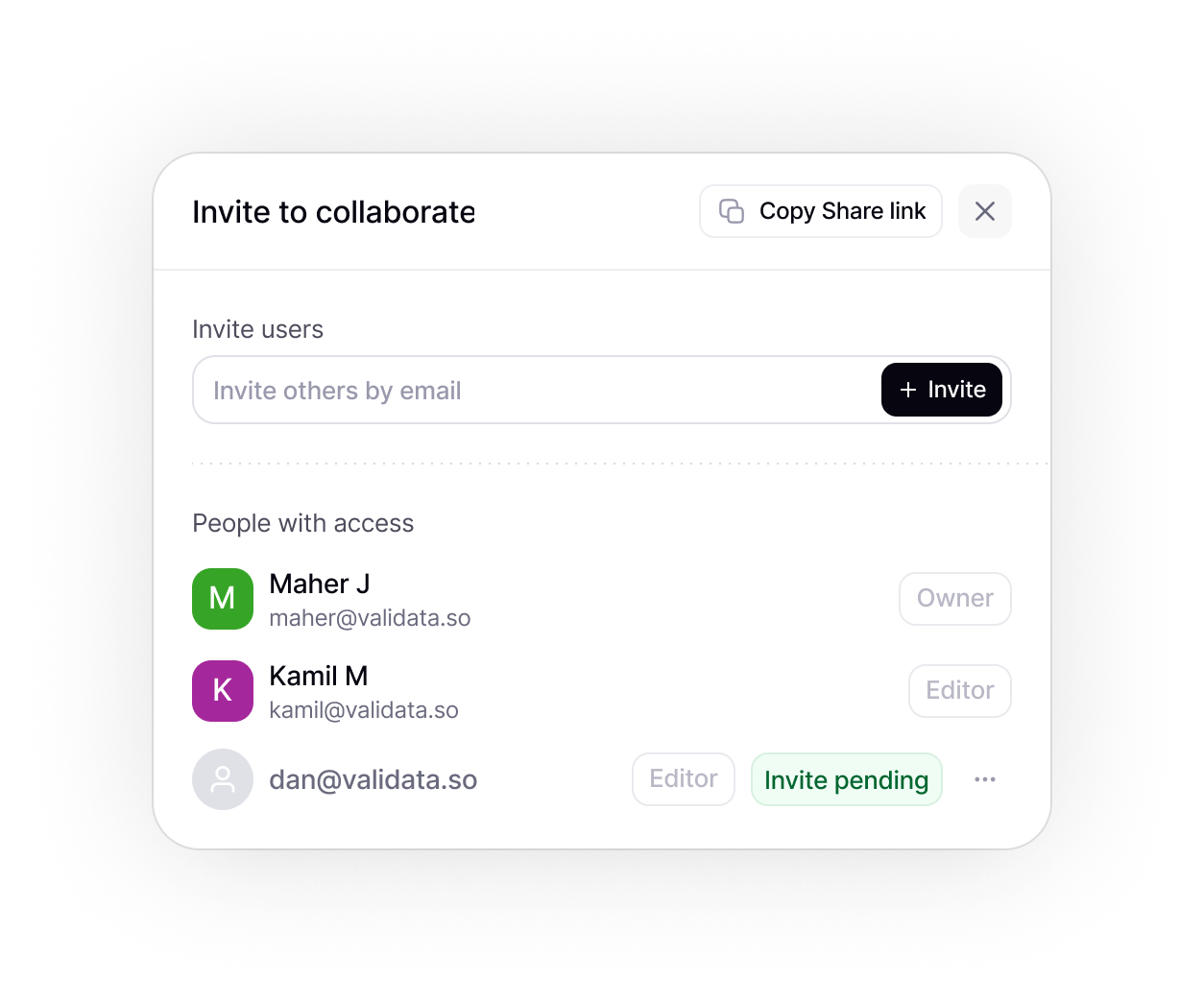
Invite teammates to add fields, fix labels, check the conditions, and try the form themselves before it goes on the site.
Support owns the contact form, sales wants a better quote request, HR is drafting an application. All of it happens in one shared workspace, so nobody trades screenshots or pastes fields into a doc.

Slack
Send new response alerts to Slack
Every new survey response can trigger a Slack notification, so your team sees new feedback without checking the dashboard.
Share low completion warnings
Alert your team when survey completion drops below a selected threshold.
Send campaign launch updates
Post a Slack update when a new survey email campaign is sent through Mailchimp.
Notify the team when a survey is completed
Send a message to your team when a respondent finishes the survey.
Response tracking
See where a form loses people while it is live
See how many visitors finish the form, where they abandon it, and which fields they skip, all while the submissions are still coming in.
Spot the step where people give up and the field nobody fills in. Each submission opens as its own record as soon as it lands. When a field is not working, change it without taking the form down.
Integrations
Connect your tools
Send data where it matters. Integrate with Sheets, Notion, Slack, and 100+ apps via Zapier.
Slack
Slack
Send new response alerts to Slack
Every new survey response can trigger a Slack notification, so your team sees new feedback without checking the dashboard.
Share low completion warnings
Alert your team when survey completion drops below a selected threshold.
Send campaign launch updates
Post a Slack update when a new survey email campaign is sent through Mailchimp.
Notify the team when a survey is completed
Send a message to your team when a respondent finishes the survey.
Zapier
Zapier
Connect survey responses to your tools
Use Zapier to send new survey responses to the apps your team already uses.

Create tasks after new submissions
Automatically create a task or database item when a new response is submitted.
Save files to cloud storage
Automatically save exports, attachments, or uploaded files to your preferred storage tool.
Add respondents to mailing lists
Send respondents into the right Mailchimp audience after they complete a survey.
Google Drive
Google Drive
Save survey exports to Google Drive
Store CSV, PDF, or spreadsheet exports in a selected Google Drive folder.
Keep uploaded files organized
Save respondent uploads and survey files in one shared Drive location.
Share survey assets with the team
Send a Slack message when new survey files are added to Google Drive.
Store campaign materials
Keep email assets, survey links, and campaign files organized in Drive.
Dropbox
Dropbox
Back up survey exports to Dropbox
Automatically save exported survey files to a selected Dropbox folder.
Organize project folders automatically
Create or update Dropbox folders when a new survey project is created.
Share files with stakeholders
Notify a Slack channel when new survey files are available in Dropbox.
Store respondent uploads
Send uploaded files from survey responses directly to Dropbox.
ChatGPT
ChatGPT
Draft follow-up emails from responses
Use respondent answers to generate personalized follow-up emails after the survey is completed.
Personalize respondent communication
Adapt email copy, reminders, or next-step messages based on selected answers or respondent details.
Write reply drafts for specific feedback
Turn individual survey responses into ready-to-send reply drafts for your team to review.
Create thank-you messages for respondents
Generate custom thank-you messages based on how someone answered the survey.
Mailchimp
Mailchimp
Add respondents to Mailchimp
Send completed survey respondents to a selected Mailchimp audience.
Trigger follow-up emails
Start an email sequence after someone completes your survey.
Send survey invitations
Distribute survey links to selected audiences directly through Mailchimp campaigns.
Segment contacts by response
Group respondents based on selected answers, scores, or form fields.
Google Sheets
Google Sheets
Save responses in Google Sheets
Every new survey response is automatically added to a Google Sheet for easy analysis and reporting.
Update team trackers
Notify your team when a shared response tracker receives new submissions.
Sync response data for operations
Send survey data into operational spreadsheets used by sales, research, or support teams.
Keep live response records
Maintain a live spreadsheet with respondent details, answers, and submission time.
Notion
Notion
Save responses to Notion
Send new survey responses into a Notion database for easy organization.
Create feedback records
Turn each submitted response into a structured feedback item in Notion.
Track research projects
Link survey files, project notes, and response exports inside your Notion workspace.
Notify teams about new entries
Send a Slack update when a new survey response is added to a Notion database.
+100
more intergrations
Form templates
Three form templates people use most
Each template opens in the builder with its fields already in place, so you change the wording, add your branding, and publish it in minutes.
Contact form template
Name, email, a topic field, and a message box, plus a follow-up field that appears only for topics that need more detail.
Try template
Order and quote request form template
Product or service, quantity, delivery date, and contact details, with a notes field for special requests.
Try template
Job application form template
Contact details, the role applied for, and a file upload for the CV and cover letter.
Try template
FAQ
Frequently Asked Questions
What Validata does differently, and what that means for your team.
An online form builder lets you assemble a form from ready-made fields, put it on a page or behind a link, and collect what people submit, with no code involved. In Validata the same builder handles conditional logic, branding, templates, and submission tracking.
Yes. Validata is free to start. Build a contact, order, or application form, add your branding and logic, and begin collecting submissions before you decide on anything.
Contact forms, order and quote request forms, feedback forms, job and program application forms, client intake forms, registration forms, and any other form that collects a few details from one person at a time.
Contact fields, file upload, short and long text, number, date, single and multiple choice, and rating scales cover most forms. Welcome and end screens frame them. Ranking, matrix, and NPS are there when a form needs them.
Yes. Conditional logic shows a field only when an earlier answer calls for it, skips sections that do not apply, and can send people to a different end screen depending on what they chose.
Yes. Colors, fonts, layouts, logos, images, buttons, and the welcome and end screens are all editable, so an embedded form looks like part of your site.
Yes. Describe the form and Validata drafts the fields and their labels. It can also tidy the wording, change the tone, and suggest answer options for a choice field.
Into your Validata workspace, where each submission is its own record. From there you can send them on to Google Sheets, HubSpot, Mailchimp, Slack, or Notion.
Yes. Every form comes with an embed for any page, plus a share link, an email option, a QR code, and social sharing for when the form lives off your site. You can also schedule it, pause it, and cap the number of submissions.
It is the same builder. Call it a form when you need a request, an order, or an application from one person, and a survey when you want to measure something across many people and analyze the results together.

You’ve used forms before.
Now use insight.
You don’t need another tool for collecting responses you need a smarter way to understand what they actually mean.