Create
Create a survey that asks
the right questions.
Start with AI, a template or a blank page. Add logic and your branding, then publish by link, QR code, embed or email. AI survey building is part of Validata+.

Type
a
message
or
try
/
for
quick
AI
commands
Specialist
Send
Create
Pick your starting line.
However you like to build, there's a way in. All three end up in the same editor.
Start with AI
Describe what you want to learn and the AI builder drafts the questions. Edit anything, or ship it as-is. Part of Validata+.
Start from a template
NPS, Lead Qualification, Knowledge Quiz, and more. Pick a ready-made template and edit it to fit.
Start manually
Blank canvas for power users who know exactly what they want. Drop questions in, wire the logic yourself.
Already have a form somewhere else?
Import from Google Forms and Typeform is coming soon. Until then, start from a template and rebuild it there.
Setup
Define the shape
before you start.
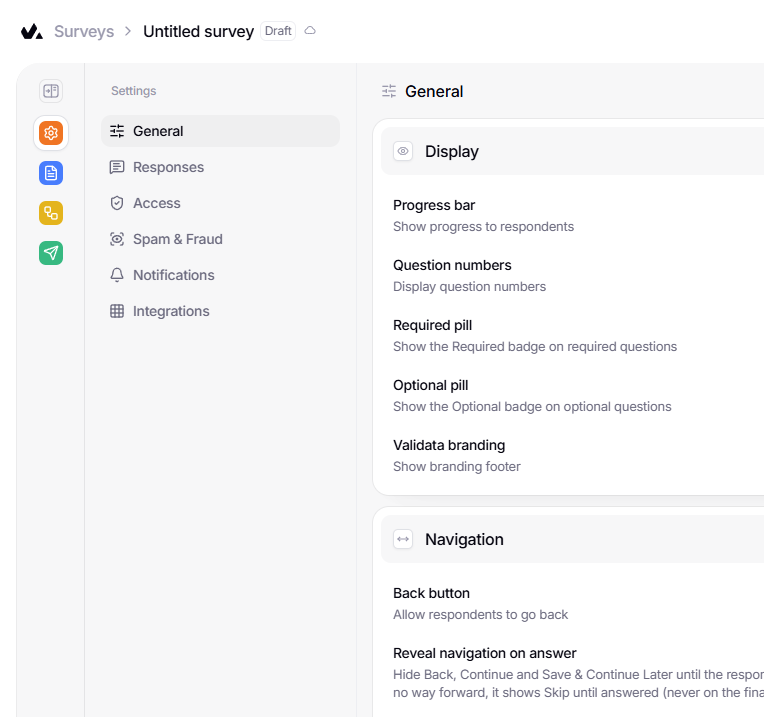
Decide who can respond, when the survey closes and what respondents see before you share it.
Access & closing
Password, close date, response limit
Display toggles
Progress bar, numbers, back button, footer
Collaborate
Invite teammates, share across workspaces
Build
Where the work happens.
28 question types and an AI assistant (Validata+)
in the editor.


Better questions in. Better insights out.
Use choice, text, matrix, ranking, file upload, contact forms, and more with smart defaults and full control.
Refine with AI
Use the AI assistant to adjust survey tone, refine questions, fix phrasing or improve answer options. Part of Validata+.
One survey. Multiple paths.
Create welcome screens, logic-based flows, and tailored endings based on each response.
Design how questions feel.
Add media, banners, and layouts that guide attention without digging through settings.
Logic
Make it think.
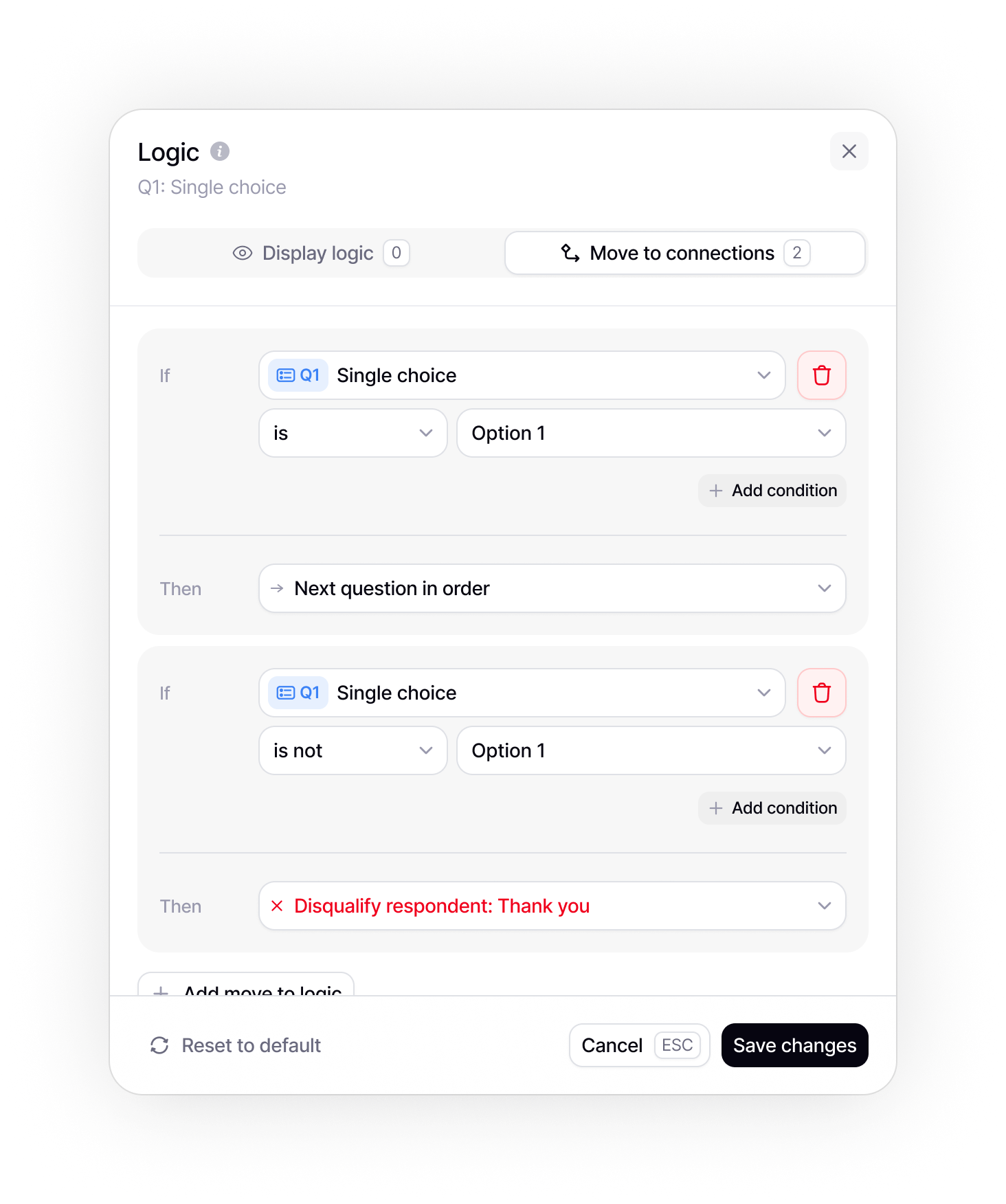
Give each respondent a path that fits them, with logic that shows, skips or ends the survey based on their answers.
Branching
Show or skip questions based on what respondents answered. If/then rules, no coding.
Jump anywhere
Send respondents to a different question based on their answers. You pick the flow.
Terminate early
Disqualify respondents who don't fit. Route them to a custom end page with the right message.
Multiple end pages
Different respondents, different outcomes. Show a different end page based on how people answered.
Design
Make it yours.
Pick a look from the design gallery or set your own brand colors and fonts.
Custom colors
Set colors for titles, support text, answers and accents.
Typography
Set the typography for titles, support text and answers separately.
Layouts
Choose a layout per question: centered, split, left or right.
Ship
Publish the way
you want.
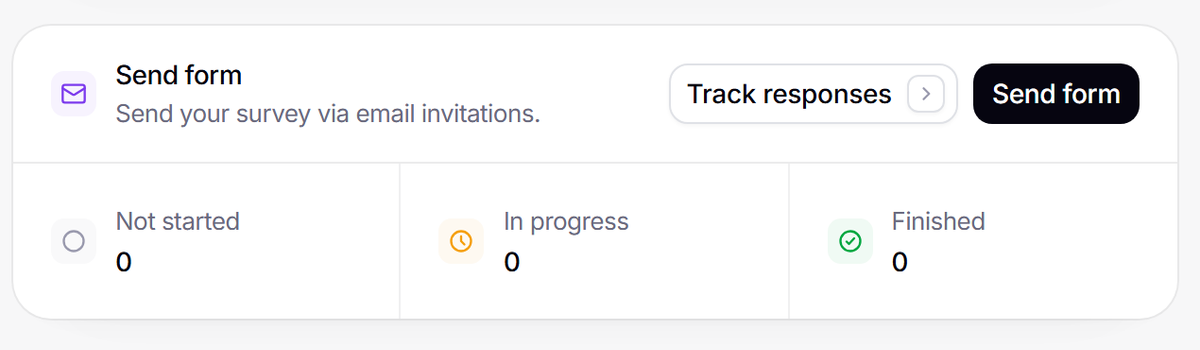
Share a link, a QR code or an email invitation, or embed the survey inline, as a popup, a slider or full screen.
1.1
Share link
validata.so/s/...
1.2
Embed
Standard · Popup · Slider · Full
1.3
QR code
Scan to open on a phone
1.4
Invite people by email
1.5
Schedule
Close on a date you set
1.6
Social media
Post the link anywhere
Safety net
Plus everything you don't
want to think about.
Plus everything you don't want to think about.
Every survey ships with a settings layer underneath. Flip a toggle, move on.
Every survey ships with a settings layer underneath. Flip a toggle, move on.
Autosave progress
Answers are kept if a respondent reloads.
Custom error messages
Speak to respondents in your tone.
Duplicate prevention
One response per browser, enforced. (Validata+)
CAPTCHA
Block bots before they submit. (Validata+)
Anonymize responses
Collect answers without respondent identities.
Max responses
Auto-close when quota is hit.
Scheduled close
Pick a date, Validata handles it.
Email notifications
Get pinged on every submit.
Thank-you emails
Send respondents a custom reply.
Multi-workspace
Invite teammates, share surveys.
Password protect
Gate access with a shared secret.
Referral URL
Coming soonReject direct visits.
FAQ
Frequently Asked Questions
What Validata does differently, and what that means for your team.
Validata is a survey and insights platform that combines an AI-assisted survey builder with an analysis engine that computes every number from your responses. It helps you create surveys, collect responses, and turn feedback into structured insights.
Yes. Describe what you want to learn and the AI builder drafts the questions for you. You can edit, expand, or customize every question. AI survey building is part of the paid plans.
Validata has a free plan: unlimited forms and questions, one seat, and 50 responses in total per account, with templates, logic, themes, embeds and CSV export. Every account, Free included, gets one free analysis, once, with at least 8 completed responses; more analysis needs Validata+. AI survey building is part of Validata+.
Validata builds the survey, collects the responses and analyzes them in one product, so you start from themes and findings instead of reviewing every response by hand. Every account, Free included, gets one free analysis, once, with at least 8 completed responses; more analysis needs Validata+.
App integrations are coming soon. Until then, you can export your responses as a CSV file on every plan.

You’ve used forms before.
Now use insight.
You don’t need another tool for collecting responses. You need a smarter way to understand what they actually mean.