SaaS cancellation survey questions: a short exit survey
In this article
A cancellation survey should help your team understand the decision behind a lost subscription. If a customer selects Cost, you still need to know whether their budget changed, they used the product too little, or it failed to do something they needed.
Start with the two optional questions below. The full set of eight gives SaaS product and customer experience teams follow-ups to choose from. Use the answers to decide what to investigate, while letting customers complete their cancellation freely.
Start with these two cancellation survey questions
Replace [product] with your product name. This version is for a person deliberately canceling a paid subscription. If the cancellation is already confirmed, change canceling to canceled in question 1.
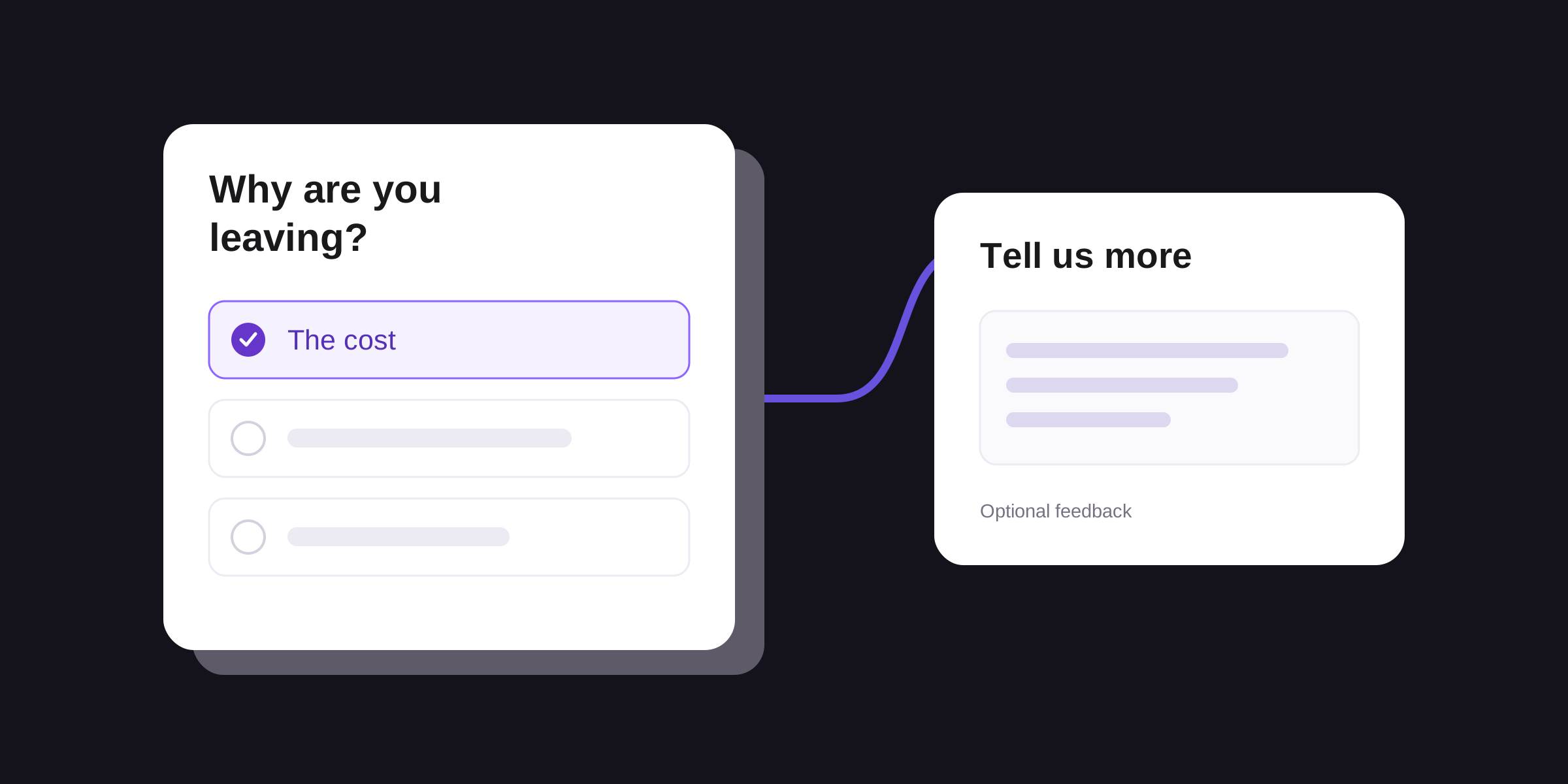
1. What is the main reason you're canceling [product]?
Use an optional single-choice question. Ask for the closest match if several reasons apply:
- The cost.
- A missing capability.
- Problems using the product.
- I wasn't using it enough.
- I no longer need it.
- Something else.
- I'm not sure.
- I'd rather not say.
Adapt the list to your service and test whether customers understand the distinctions. Problems using the product can cover usability, reliability, or getting help; question 2 gives them room to explain. Keep Something else available when the list misses their experience.
2. What would you like us to understand about your decision?
Use an optional text box. Show it after any reason except I'd rather not say. Someone who skips question 1 may still prefer to explain in their own words. A blank comment is a valid response, including after Something else.
Add a brief instruction: Please leave out passwords, payment details, and confidential information about other people. Tell respondents who will review their feedback and whether you will link it to their account. Only describe the survey as anonymous if that is true.
Make every path easy to skip
For the short version, ask Q1, then optional Q2, then finish. If Q1 is I'd rather not say, finish immediately. Provide a visible way to leave the survey at every step. Skipping, closing, or ignoring it must not prevent cancellation.
If you need a more specific answer, replace Q2 with one relevant question from Q3–Q6. These are alternative paths, not four questions to append:
Scroll sideways to see all columns.| Q1 answer | Detail question |
|---|---|
| The cost | Q3, or keep the general Q2. |
| A missing capability | Q4, or keep Q2. |
| Problems using the product | Q5, or keep Q2. |
| I wasn't using it enough | Q6, or keep Q2. |
| I no longer need it; Something else; I'm not sure; or Q1 skipped | Keep optional Q2. Do not infer a reason from a blank answer. |
| I'd rather not say | End the survey. Skip all follow-ups. |
Use conditional routing if your survey tool supports it. Otherwise, keep the two-question version. Preview the paths for every choice and a skipped answer. Every detail question remains optional, and a skipped detail question ends the basic survey.
Choose a follow-up that helps you investigate
3. Which part of the cost influenced your decision most?
Ask after The cost. Use single choice: We needed to reduce spending; The value we got didn't justify the cost; The way usage or seats were priced didn't fit our needs; Something else; or I'm not sure. Ask for the closest match and allow a skipped answer.
A budget reduction and disappointing value need different investigations. Check what the customer used and expected before deciding whether to change a plan, explain a feature, or examine the product experience. The answer alone does not establish that a discount would have kept them.
4. Which task couldn't you do the way you needed?
Ask after A missing capability. Use an optional text box and look for the intended task. Check whether the capability is absent, hard to find, or available only in a different plan. Confirm the gap before adding a feature request to the roadmap.
5. What happened when you tried to use [product]?
Ask after Problems using the product. Use an optional text box. A customer may describe an error, a confusing step, or difficulty getting help. Review the relevant support history or reproduce the reported problem where you have appropriate access. Keep unknown details unknown.
6. What, if anything, got in the way of using [product]?
Ask after I wasn't using it enough. Use an optional text box. Allow an answer such as Nothing got in the way; our project ended. Low use alone does not tell you whether onboarding failed, the need disappeared, or the product was a poor fit.
7. Do you plan to use something else for this task?
If understanding replacement choices is your priority, use this instead of the detail question. Show it after any Q1 answer except I'd rather not say, including a skipped Q1. Offer Yes, No, or I haven't decided, and allow skipping. After Yes, optionally ask Which tool or approach? Skip that text box after No, I haven't decided, or a blank answer.
A replacement could be another product, a spreadsheet, or a manual process. Record it separately from the cancellation reason. Naming a competitor does not explain what made that choice preferable.
8. May our team contact you to understand this feedback?
Add this optional Yes/No question only if you intend to conduct follow-up research. Offer it at the end after one of the first five Q1 reasons or a written detail answer. Skip it after I'd rather not say, or when the person has provided neither a named reason nor written detail. Something else or I'm not sure alone is not enough.
Request contact details only after Yes and only if needed. No or a skipped answer does not grant permission. Use the details for the research you described; agreeing to a research conversation is not consent to a marketing campaign.
Ask at a clear cancellation moment
A simple place for the survey link is the cancellation confirmation screen or message your team already sends. Keep the confirmation itself clear. If you present feedback before confirmation, make the route to finishing cancellation visible and independent of answering.
Choose whose experience you need. The person canceling a company subscription may manage the budget without using the product daily. Treat their answer as that person's account of the decision; do not assume it represents everyone on the team.
Keep paid-plan cancellation requests separate from failed payments, free-trial endings, downgrades, and pauses. A failed payment does not establish that a customer chose to leave. Also distinguish the request date from the date access or billing ends: Stripe's cancellation documentation describes immediate and end-of-period cancellation, as well as automatic cancellation after failed payments.
Test the wording with people similar to the intended respondents before rollout. Ask what each reason means to them and check the choices they struggle to place. AAPOR's survey guidance recommends pretesting questionnaires. Pew Research Center explains how response choices and question order can affect answers.
Read the reasons alongside the missing answers
Choose a counting unit before reporting results. For an account-level review, count each account once using a documented rule, such as its first confirmed paid cancellation request in the period. Keep later withdrawals of that request in a separate status field. For customer opinions, count people instead and label the report accordingly.
Keep the selected reason and written detail in separate fields. Comments can add context without changing what the customer selected. If you label several themes in one comment, those theme counts can overlap. A blank reason, an explicit I'm not sure, and I'd rather not say should remain distinguishable.
Consider this fictional example using the basic Q1–Q2 survey. During one month, 30 paid accounts confirm a cancellation request. The team invites one person per account and retains one submission per account. Eighteen people select one of the first six reason options, two submit with Q1 blank, and ten never submit the survey.
Scroll sideways to see all columns.| Reason or response status | Accounts |
|---|---|
| The cost | 6 |
| A missing capability | 4 |
| Problems using the product | 3 |
| I wasn't using it enough | 3 |
| I no longer need it | 1 |
| Something else | 1 |
| I'm not sure | 0 |
| I'd rather not say | 0 |
| Survey submitted, Q1 blank | 2 |
| No survey submission | 10 |
All 30 accounts are accounted for. Cost was selected by 6 of the 18 accounts with a reason selection, or about 33%. It was recorded for 6 of all 30 invited accounts, or 20%. Neither figure tells you the reason for the twelve accounts without a selected reason. This table is not a churn rate; some subscriptions may still be active until their scheduled end date.
Read the six cost respondents' Q2 answers. In this example, two describe a budget cut, two say they used the product too little, one mentions both, and one leaves the comment blank. Budget cuts appear in three comments and low use in three; one comment belongs to both themes. Five people wrote a comment.
Those details suggest separate questions to investigate. For the low-use comments, examine which task the customer expected to do and what happened when they tried. For budget changes, examine the account's needs and plan fit. Leave the blank comment unclassified. Compare relevant plan and tenure groups when you have enough responses, while keeping small groups visible as small groups.
Record the investigation, its owner, and what evidence would support a change. A stated reason is a useful lead; it does not prove that a particular feature or price caused cancellation. People who answer may differ from those who skip the survey, so avoid treating their percentages as the view of every departing customer.
Use our open-ended response analysis guide for labeling and counting comments. Before sharing quotations, check the free text and contact fields for identifying or confidential information. For feedback from people still using your product, use the product feedback survey questions.
Build your cancellation survey in Validata
Use Validata's survey builder to create the reason question and an optional text field. Adapt the choices, preview the survey, and share its link through a channel your team already uses. Start with the basic two-question version before adding a follow-up.
Validata brings survey creation and response analysis together for product and UX teams. Explore its analysis features to investigate patterns in the feedback you collect.

You’ve used forms before.
Now use insight.
You don’t need another tool for collecting responses you need a smarter way to understand what they actually mean.